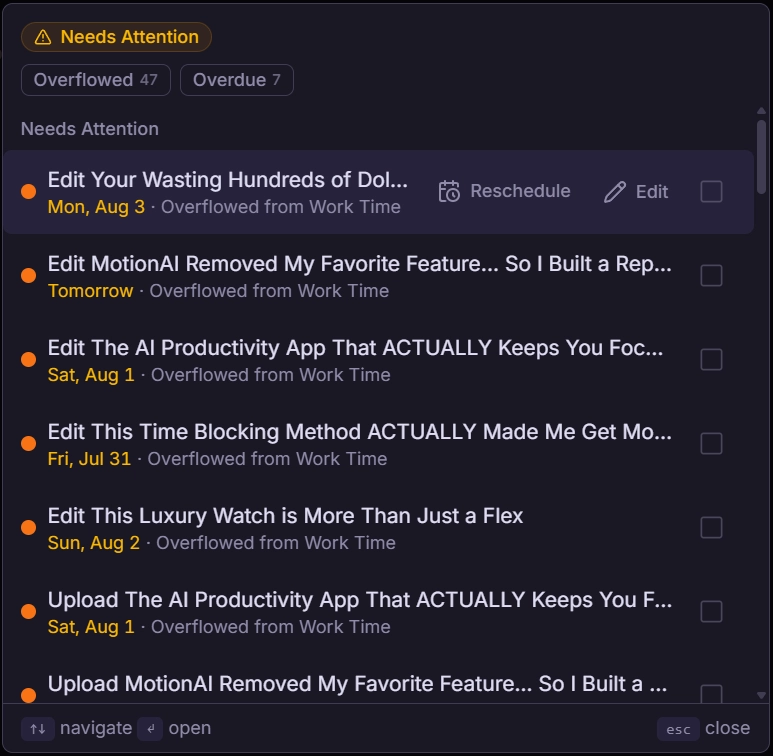
This is a notification that will appear at the top of the sidebar when you have tasks that are scheduled outside of their set schedule (overflowed) or scheduled past their due date (overdue).
Why Do Tasks Appear Here?
There are two reasons tasks appear in the “tasks need attention” notification.
Overdue
These are tasks that cannot be scheduled and get completed before their due date. If you do these tasks as scheduled, you will miss their deadline.
Overflowed
If a task is marked as overflowed, it means that the task’s current schedule doesn’t have room for it to be completed without missing its due date. However, it has been placed in another schedule, and if completed at that time, it will still get done by the due date.
How To Use Tasks Need Attention
The best way to use this notification is by clicking on it, and seeing what tasks are here. There are a few options to handle these tasks.
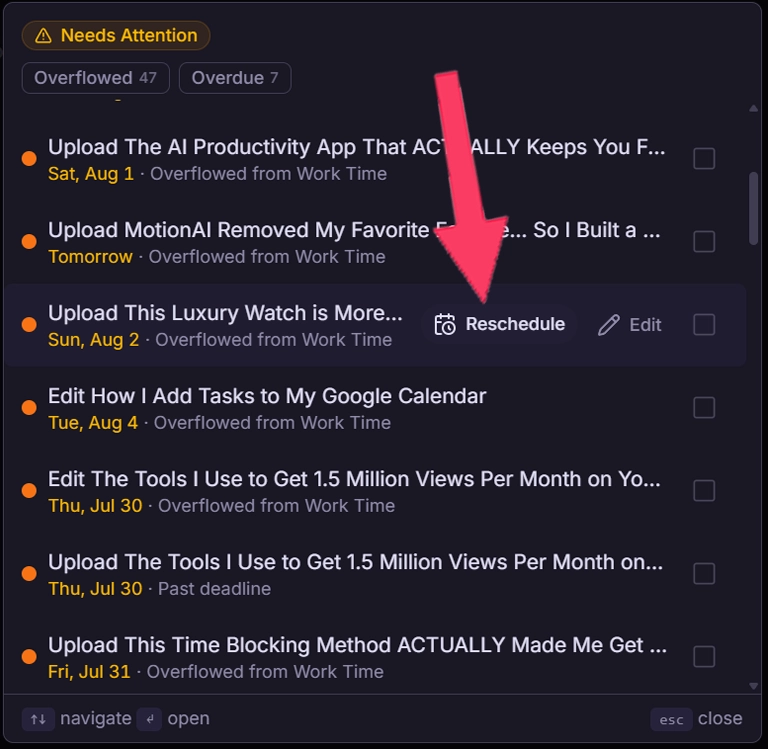
Move the task's due date: This can be done by hovering over the task and clicking “Reschedule”. Then, you select a new due date. With that, your task will be rescheduled and no longer needs attention.
Complete the task as scheduled: Tasks that need attention are still scheduled during your day, and they often take priority over other tasks. Overflowed tasks will still meet their deadline just outside of your scheduled hours for the task.
Delete the task: If the task is no longer needed, you can delete it. This removes it completely and means it no longer needs attention.