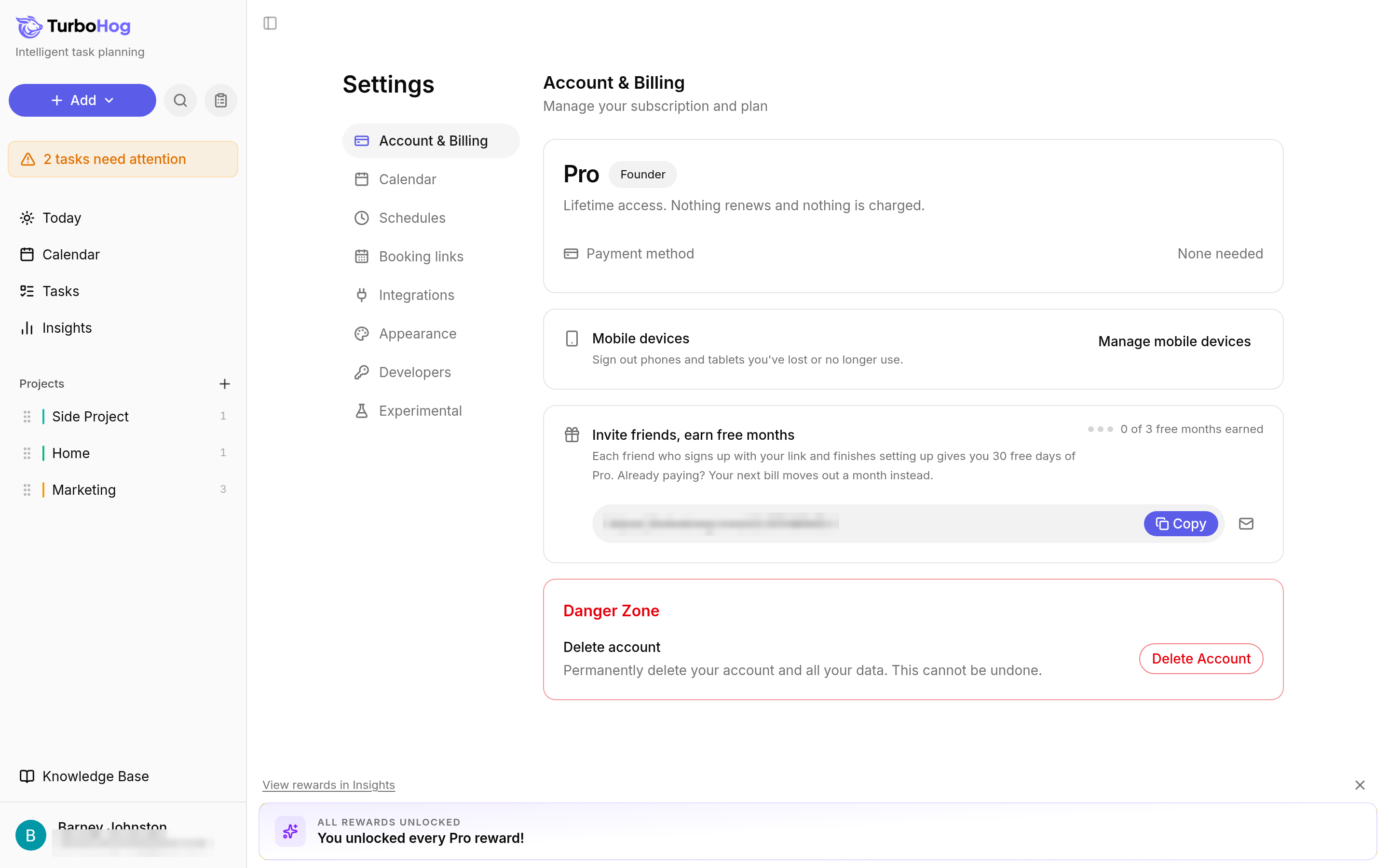
TurboHog signs out all of your phones and tablets at once. You cannot pick a single device.
Click your name at the bottom left of the sidebar.
Select "Settings". The "Account & Billing" tab opens.
Find the "Mobile devices" card and click "Manage mobile devices".
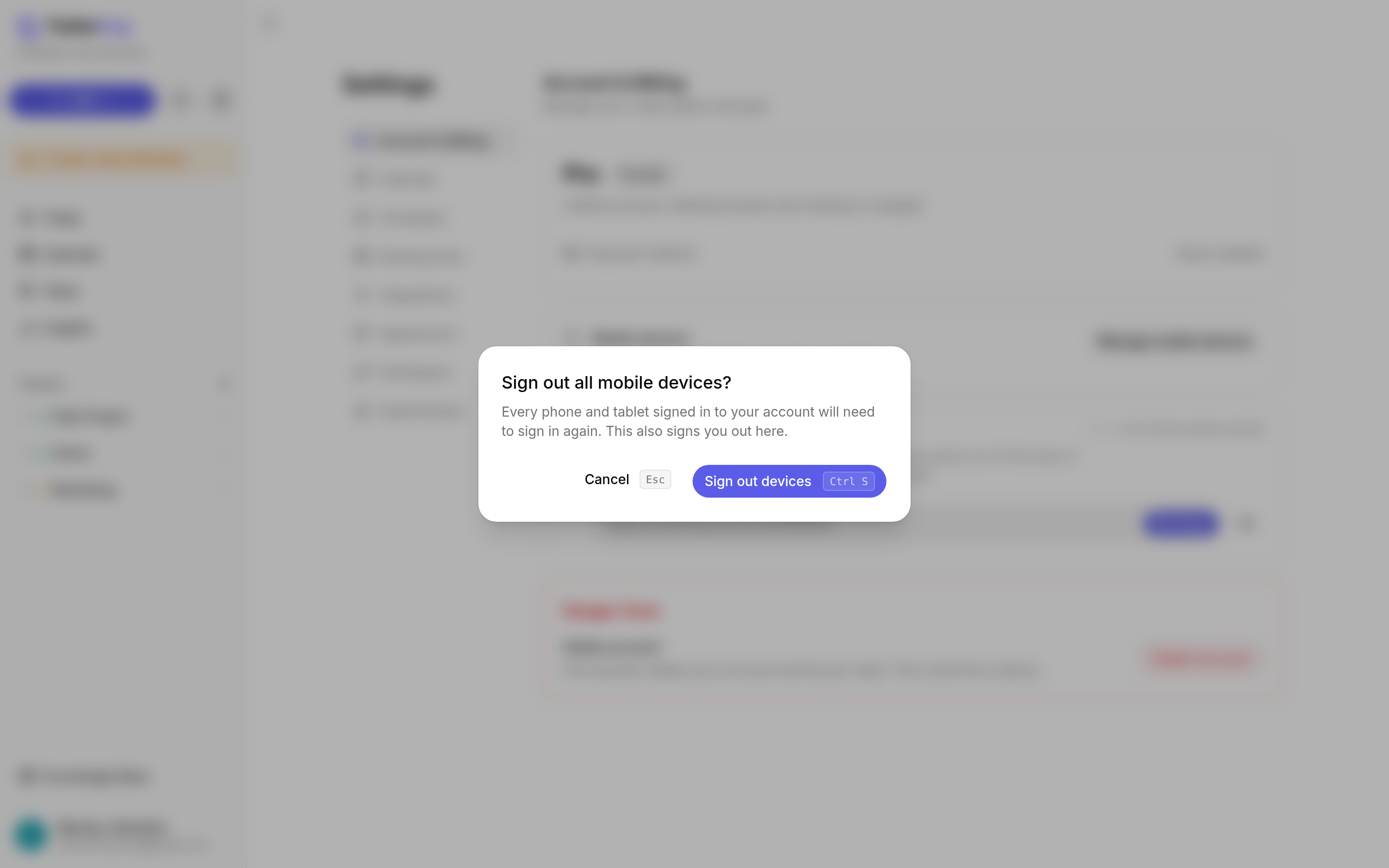
A window asks "Sign out all mobile devices?". Read the message, then click "Sign out devices" to confirm. To go back without signing out, click "Cancel" or press Escape.
Every phone and tablet signed in to your account is signed out. This also signs you out on the device you are using, so you need to sign in again there too. On each phone or tablet you still use, open TurboHog and sign in again.
To get TurboHog on your phone, read TurboHog on Your Phone. To see the rest of the Account & Billing tab, read Settings.