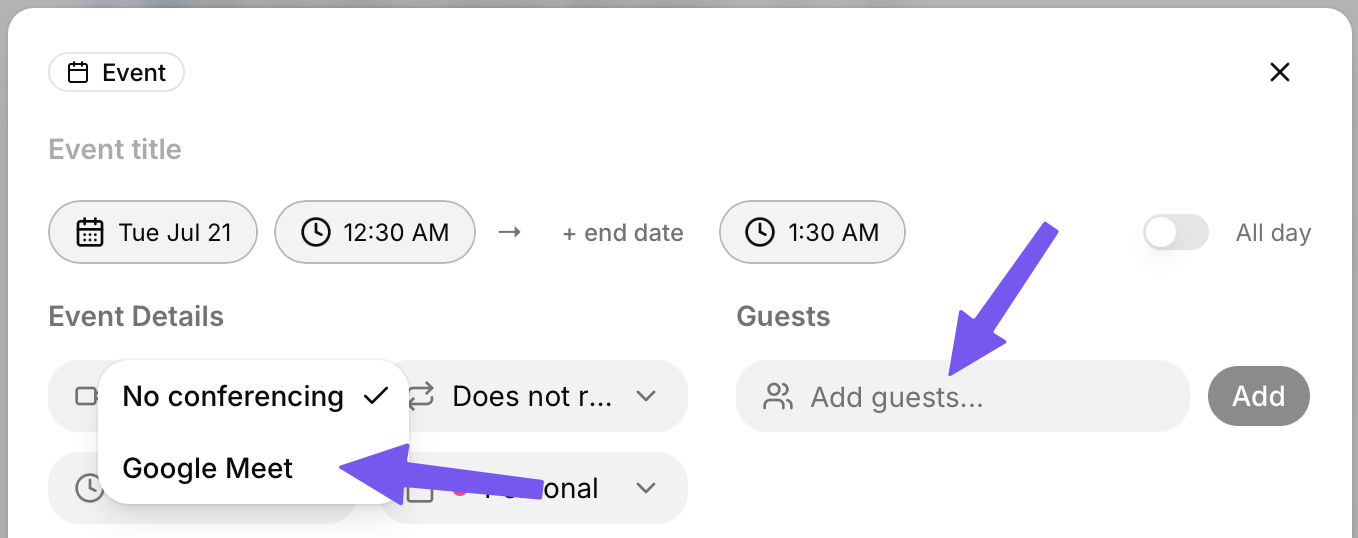
When creating an event, you will see a video icon with a “No conferencing” drop-down.
Clicking this will allow you to select “Google Meet”.
You can then use the “Guests” section to invite the meeting’s attendees via email.
When you create the event, a Google Meet link will automatically be created for it. Your guests will see this link as well, and they will get invites to the meeting sent to their email.
After your event is created, you can select it to see the Google Meet join button in the top left. You can also click the little “Copy” button to get the link to paste in your browser and join.
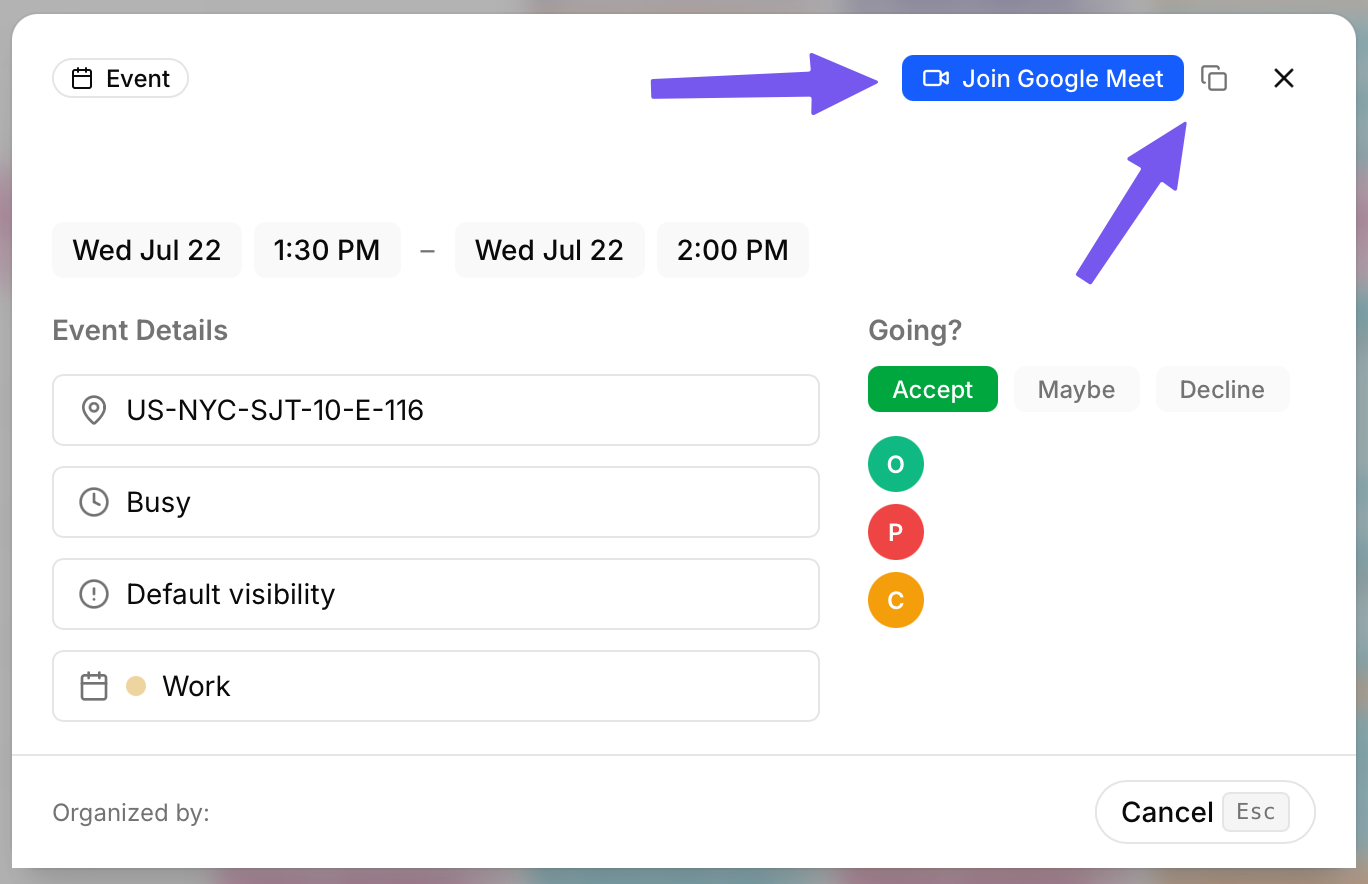
If you have a Google Meet you are invited to, you don’t need to leave TurboHog to find the join link.
Simply click on the event within TurboHog, and you will see the “Join Google Meet” button and “Copy” icon in the top right of the event to join it.