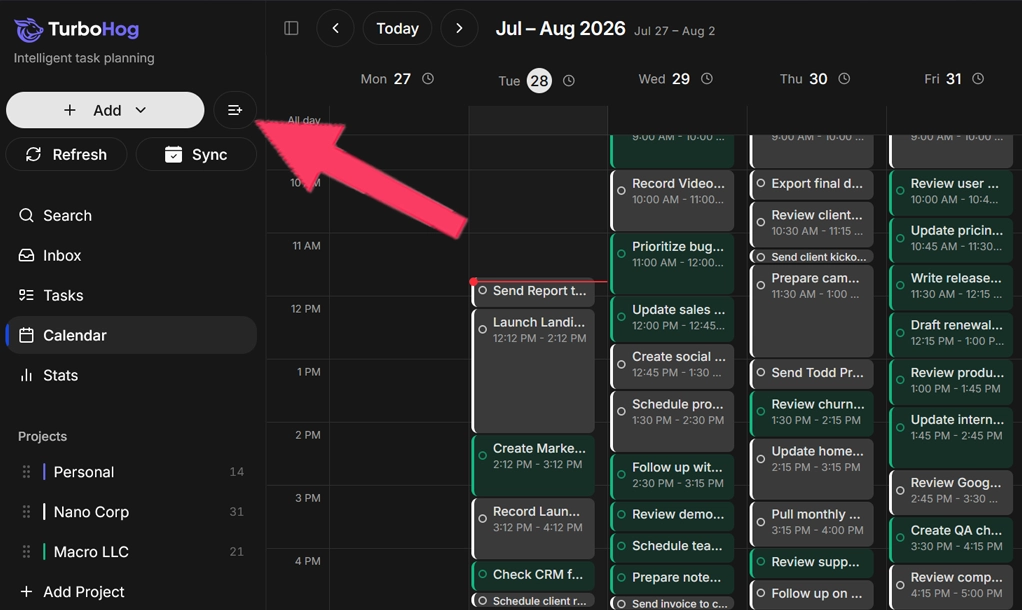
To use bulk task importing, click the button next to the “+ Add” button. This will open the text box where you can add your bulk task list.
AI will be used to parse your tasks and import them into TurboHog. It recognizes which projects the tasks should appear in, estimates how long they will take, and even adds due dates.
Natural language can be used to get more control during bulk imports.

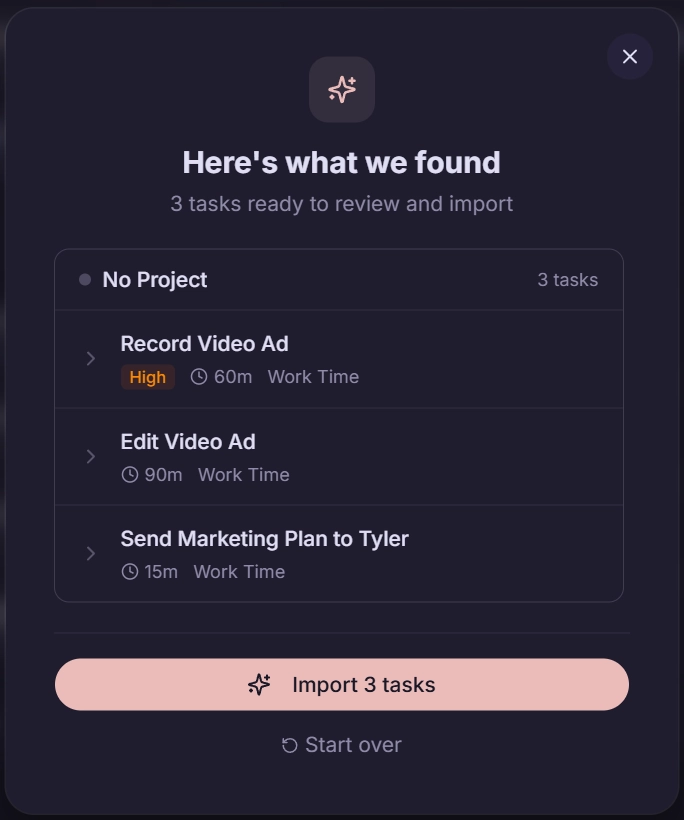
Once you click to organize your tasks, the AI gets to work. After a few seconds, you will be presented with the tasks it found.
You have full control, meaning you can edit every aspect by clicking the arrow on a task. The task then drops down with project, schedule, duration, priority, and start and due dates that you can change. Tasks can also be removed with the trash can icon when you hover over a task.
Finally, click “Import tasks” at the bottom, and all of the tasks will be imported into the app and automatically scheduled for you.
Just like when creating a task, you can use natural language when importing tasks in bulk.
That means you can use triggers like today, p1, #project, 30min etc. to make sure your tasks have the correct properties when imported.
Click here to view all of the natural language processing options you can use.
The real answer here is anytime you have a big list of tasks you need to add to TurboHog. However, we did want to give some specific examples.
Bulk task importing uses AI. That means it can parse tasks from notes.
A prompt like “Take these meeting notes and pull out relevant task that I need to complete (paste meeting notes here).” will spit out all of the tasks and actions from the meeting.
Priority, duration, schedules, etc will be set automatically.
Sometimes it’s easier to just type out everything you need to do in a week in plain text.
Bulk task importing makes this easy. Take your plain text list, notes, etc., and paste them into the bulk task importer. It will then pull out the tasks and get them ready to be added to TurboHog in one click.
You can go from a weekly task dump to a scheduled and ready-to-complete list in a minute or less.
If you are moving to TurboHog from another to-do list app, you can export your tasks from the previous app and copy and paste them into the bulk task importer.
The tasks will then be automatically adapted to the TurboHog format, gaining duration, a schedule, etc. You can then quickly review and import.
No need to spend hours moving tasks for you. Let the importer take care of it for you.