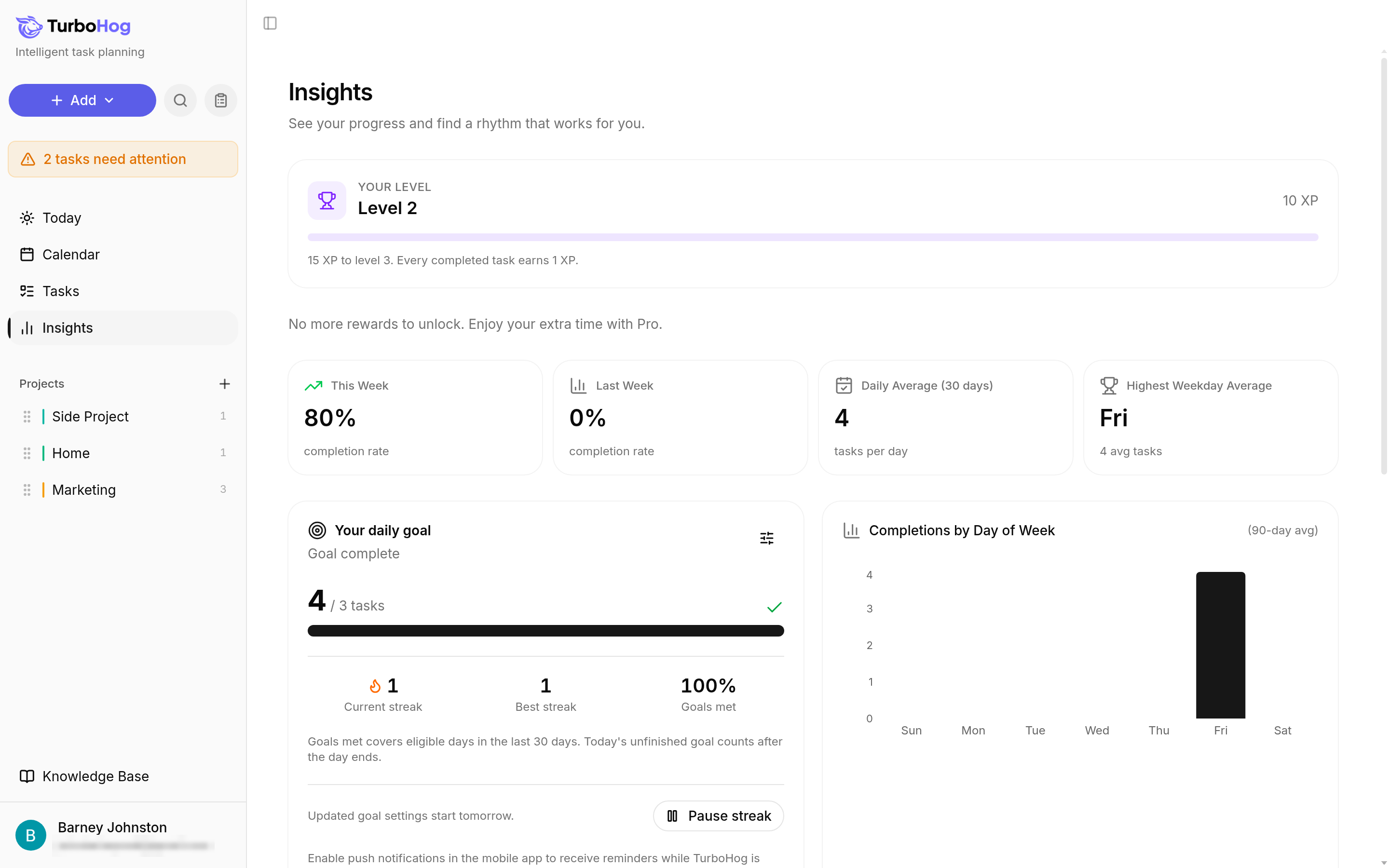
Find the "Your daily goal" card and click "Set a daily goal".
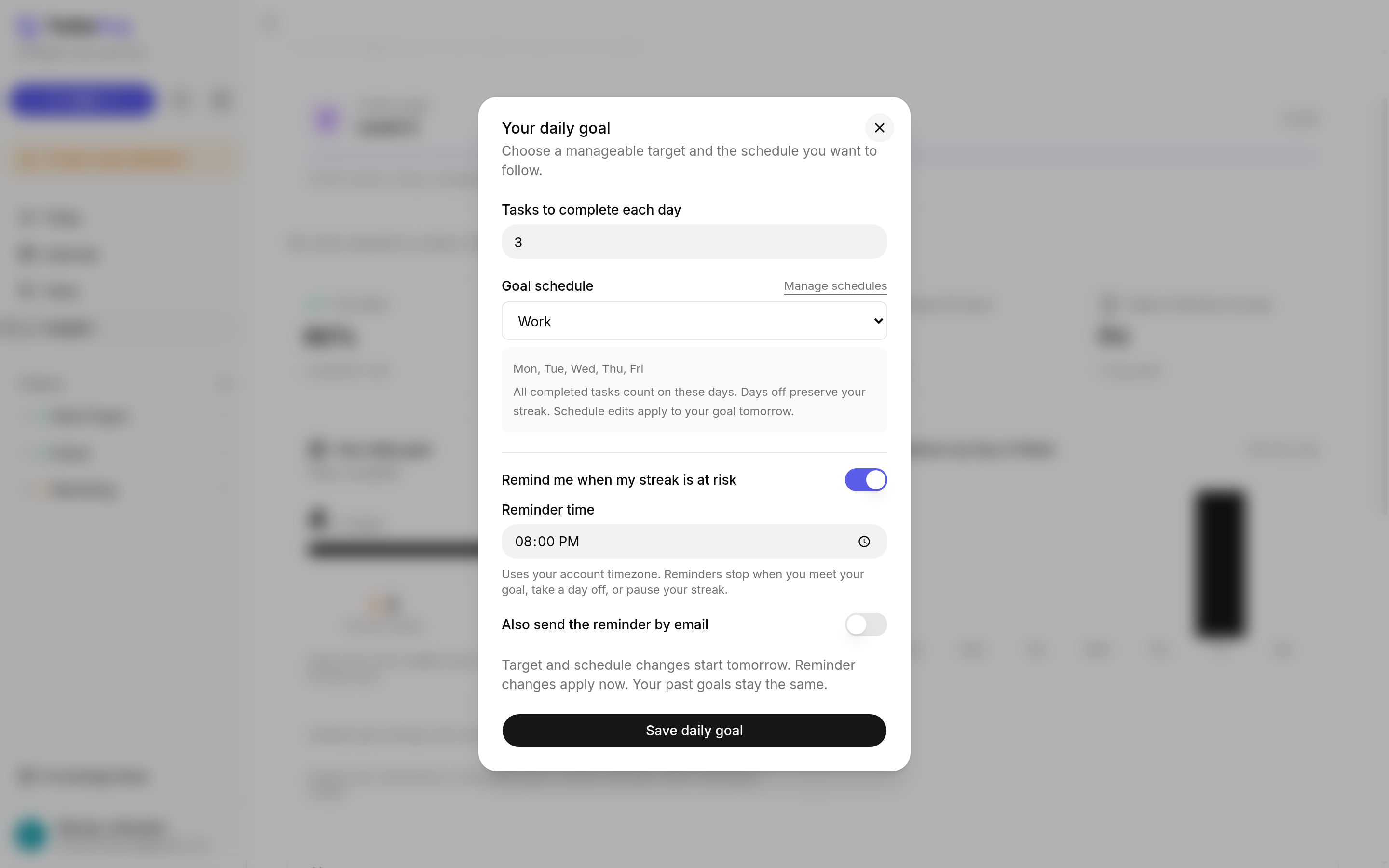
In the "Your daily goal" window, enter a number under "Tasks to complete each day", such as 3.
Under "Goal schedule", choose one of your schedules, such as "Work". The goal applies on that schedule's days, such as Mon to Fri. To add or change schedules, click "Manage schedules".
Click "Save daily goal".
TurboHog shows "Goal changes saved for tomorrow". A new target and schedule start tomorrow.
Building a Streak
Each day you meet your goal on one of your chosen days adds to your streak. Because the goal follows one of your schedules, you can set a goal that fits your week, such as weekdays only.
The card shows how you are doing today, such as "4 / 3 tasks" and "Goal complete". Under the progress bar, you see:
Current streak: the days in a row you have met your goal.
Best streak: your longest streak so far.
Goals met: the share of eligible days in the last 30 days when you met your goal. If today's goal is not finished yet, today counts after the day ends.
Pausing Your Streak
To take a break, such as during a vacation, you can pause your streak.
Click "Insights" in the sidebar.
On the "Your daily goal" card, click "Pause streak".
The pause starts today.
Streak Reminders
TurboHog can email you at a time you choose when your streak is at risk.
Turn on "Remind me when my streak is at risk".
Set "Reminder time". It uses your account timezone.
Turn on "Also send the reminder by email". This is how the reminder reaches you.
Click "Save daily goal".
Reminders stop when you meet your goal, take a day off, or pause your streak. Reminder changes apply right away.
Changing Your Goal
Click "Insights" in the sidebar.
On the "Your daily goal" card, click the settings icon at the top right.
Change your target, goal schedule, or reminder, and click "Save daily goal".
Target and schedule changes start tomorrow. Your past goals stay the same.